
The Happy Planner: Your Ultimate Guide
Are you curious about the Happy Planner? Find out what it is and see all the details (photos and video!). Great list of ideas for accessories and tips to get you started. Get all the info here!
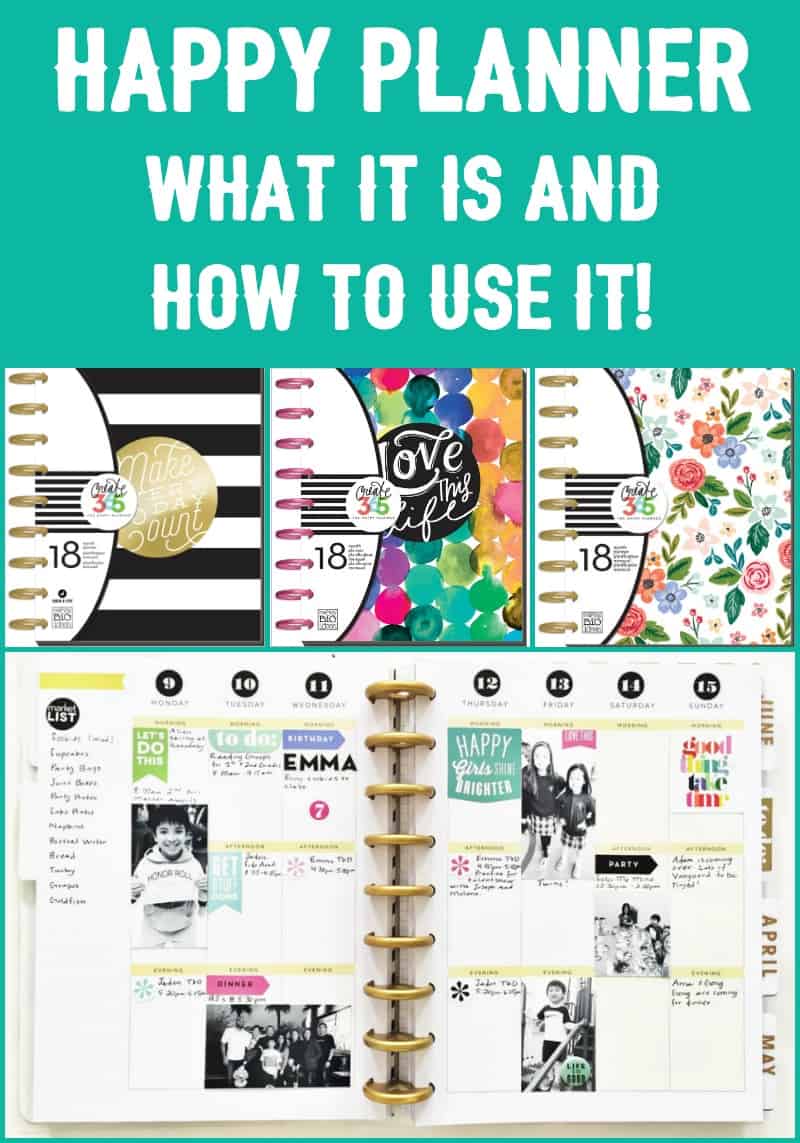
Did you know that there is subculture of “planner people?” Now – before we go on, let me clarify that I mean that in the most complimentary way. I just recently took a free class at Michaels where we were introduced to the Happy Planner, and I can’t wait to tell you all about it! (Scroll down to the bottom of the post for a video of the planner in action).
What is a Happy Planner?
If you are new to the Me & My Big Ideas Happy Planner (also known as the Create 365 Planner or MAMBI planner), let me tell you what it is: it’s a basic planner with calendar pages, but it’s a LOT more interesting for those of us that like to be creative.
It’s not just a boring planner with a grid! The colors and graphics are bold and vibrant or soft and beautiful, depending on the planner you choose (and there are a lot of styles).
As you can imagine, you’ll use the Happy Planner to plan your months, weeks, and daily activities. But here’s the difference between the HP and a regular planner – you’re going to use all sorts of art supplies, stickers, pens, pencils, tapes, and other fun craft goodies to accent the planner and turn it into more of a creative journal and scrapbook. Yes – it serves a dual purpose. I’ll explain more below.
(Grab some free planner printables here!)
What’s Inside the 365 Planner?
Your Create 365 Planner typically includes:
- an 18-month planner with tabbed dividers
- weekly and monthly calendar pages
- colorful pages, quotes, and gorgeous fonts throughout (that fit with the theme of the planner you select)
- space for creative planning and scheduling – including stickers, doodles, reminders, and more
- rings so that pages can be easily removed or added (you can add anything with this punch)
What Sizes do Happy Planners Come In?
There are four Happy Planner sizes currently (values are approximate):
- The classic Happy Planner covers are 7.75” x 9.75” and the pages are 7” x 9.25”
- The skinny classic Happy Planner covers are 5.5″ x 9.75″ and the pages are 4.125″ x 9.25″
- The Mini Happy Planner covers are 5.125” x 7.5” and the pages are 4.5” x 7”
- The Big Happy Planner covers are 9” x 11.25” and the pages are 8.5” x 11”
Where Can I Buy a 365 Happy Planner?
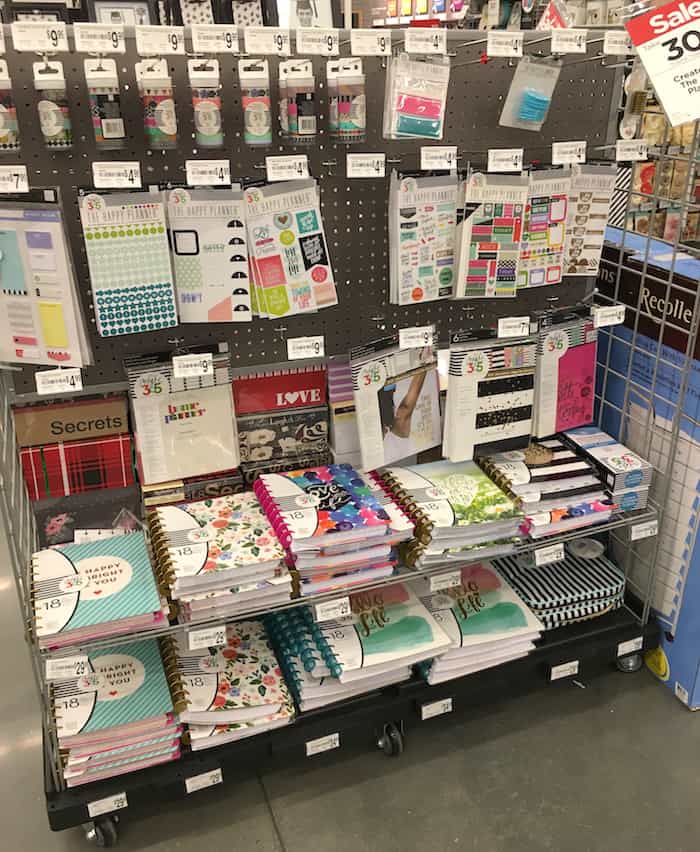
You can get one online at Amazon (accessories too), but the best selection is at the craft store. That means you’ll be making a trip to AC Moore, Hobby Lobby, Jo-Ann, or Michaels! I purchased mine from the Michaels Create 365 Planner display.
And I chose my planner based on the same criteria I expect you would use: my favorite cover!
The covers of the Happy Planner are beautiful – I really, really love them! They are also laminated for people who are hard on their planners like me (guilty as charged). Having said that, I did see some girls at the class had customized their own covers. That was cool too!
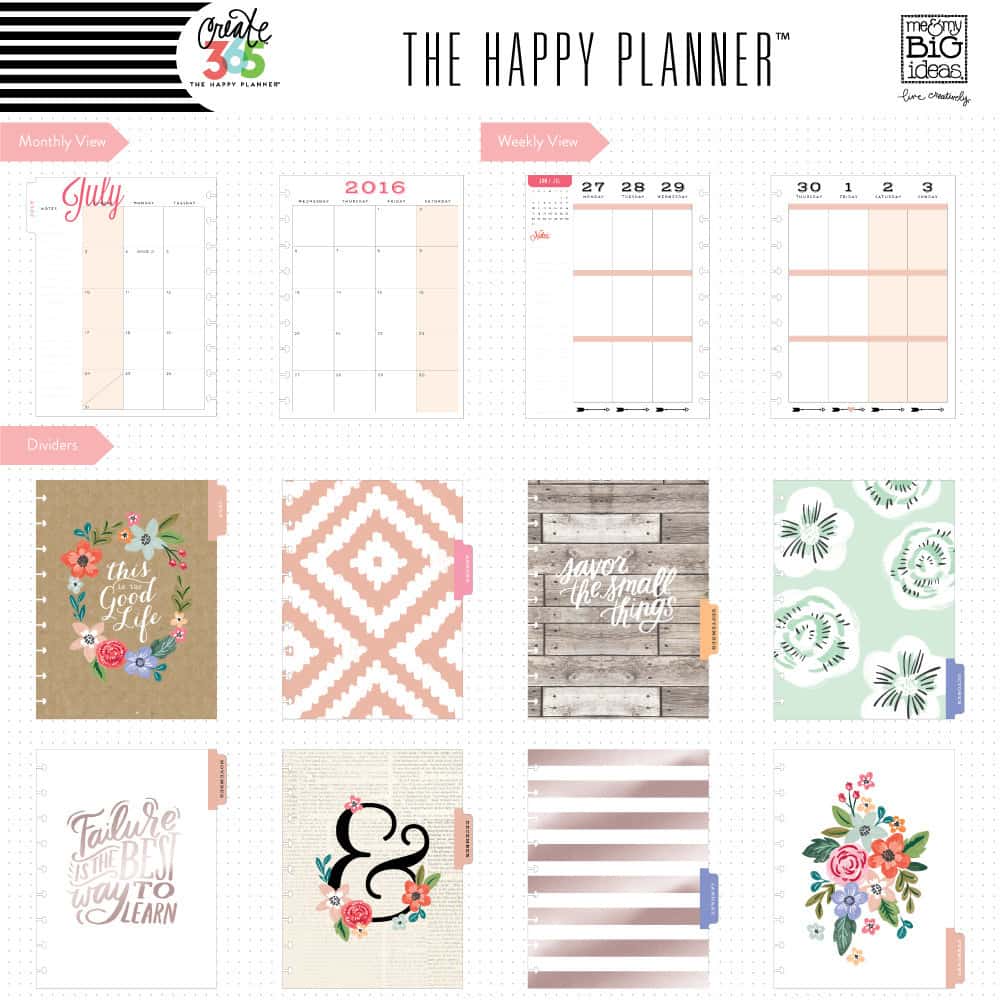
The inside of the planner has pretty calendar pages and dividers with a different graphic or quote on each. This is what mine looks like above. Before each month starts, there’s a place that lists:
- Holidays
- Birthdays (you write these in)
- Important dates
- This month’s Goals
- Currently – reading, planning, watching, cooking, eating, drinking, pinning, crafting, listening, feeling, and more!
I hope you’re starting to get an idea of what the planner is like. Here’s another sample:
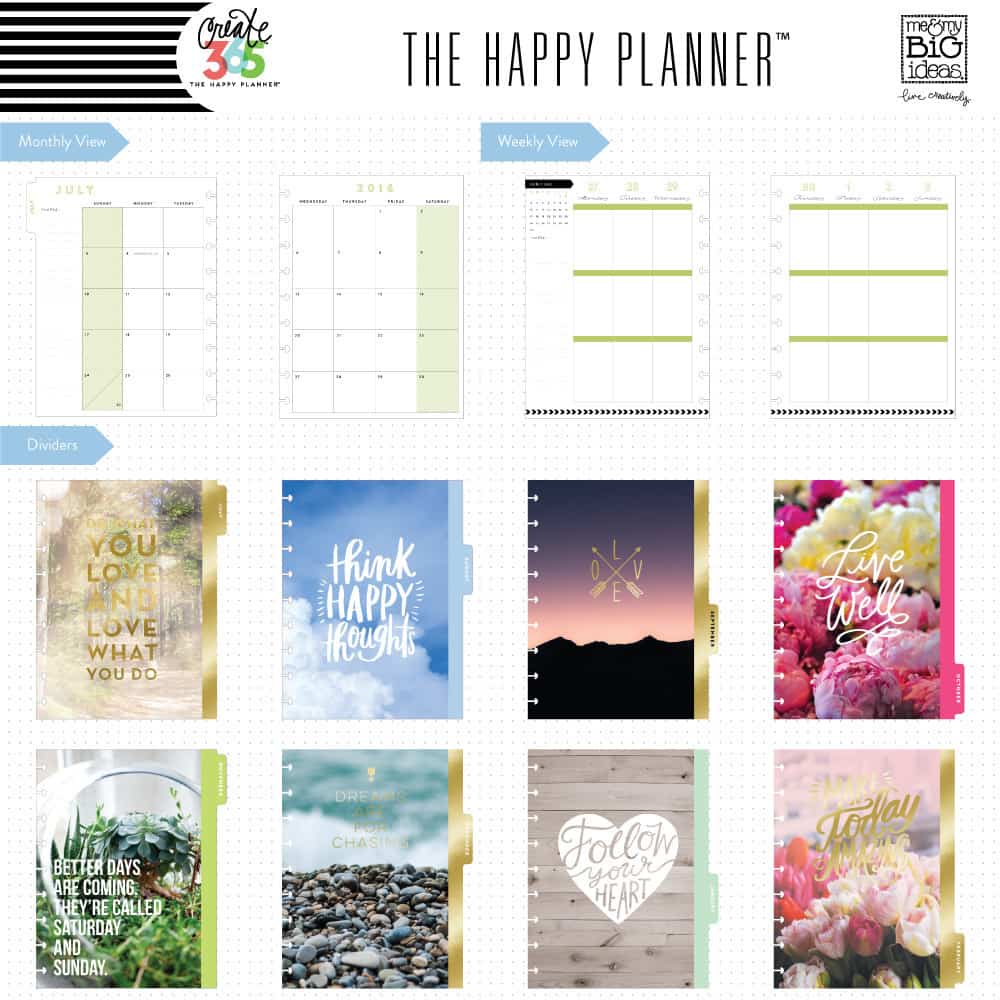
You’re going to want to either flip through in person or look at some images online to see what’s best for you and fits your creative personality the most!
So let’s say you bought your Create 365 planner – what’s next?
How to Customize the MAMBI Planner
This is where it REALLY gets fun. You’re going to decorate your MAMBI planner with all sorts of items. This is also where people get confused, so let me tell you where I started. I bought some stickers.
MAMBI STICKS
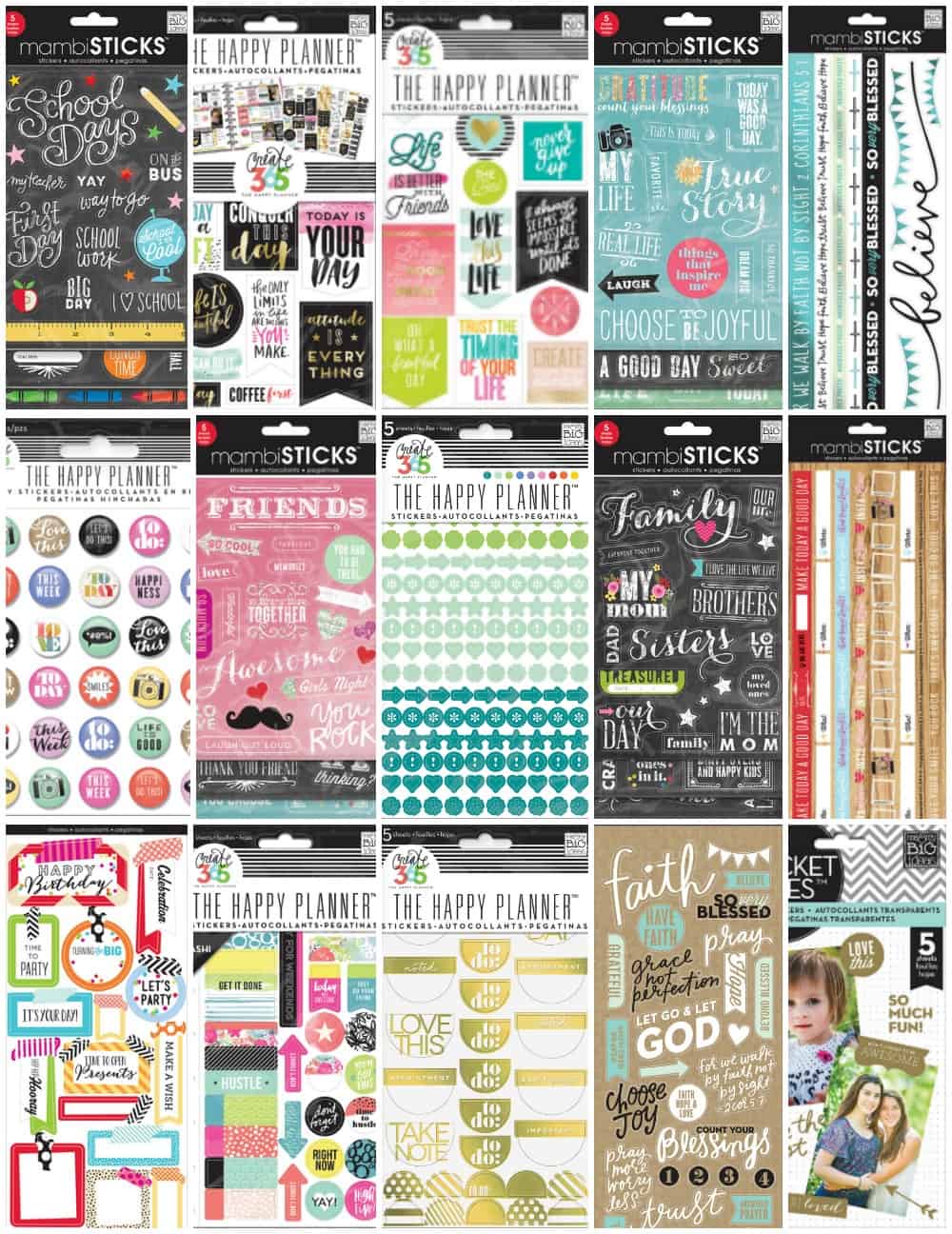
Now – there are a bajillion stickers in existence. You can purchase your own, or the brand ones (a small sampling of which are shown above).
What I have to say about the MAMBI ones is that they are made to go with the planners in terms of design – and they fit in the allotted spaces like borders and date areas quite nicely. They’ve also provided areas to write in a lot of the stickers.
You would NOT believe the selection: washi inspired, gold foil, clear, chalkboard . . . and in every style you can imagine! There are family themed, school, vacation, wedding, fitness, travel – it can be really overwhelming.
So my advice to you – what do you have coming up in the next few months? Buy for that, as well as a few general themed that you might like. Don’t go crazy. You can always go back to the store or place another online order!
I started with:
- Everyday Reminders – going to use these for work AND personal
- Colorful Dots – love all the colors of these symbols and shapes
- Don’t Forget – these go in the vertical calendar areas and I’m always forgetting (ha ha!)
- Washi Sticker Pack – love that these are made of washi material!
Yeah, I went a little crazy with the stickers. And related to the stickers, there is washi tape available. Washi tape is cool to use to line the pages, to mark important dates, or just to decorate in general.
It’s patterned, so adds instant “pretty” to the page. I already have tons of washi tape so I didn’t purchase any . . but you could!
THE HAPPY PLANNER STICKY NOTES
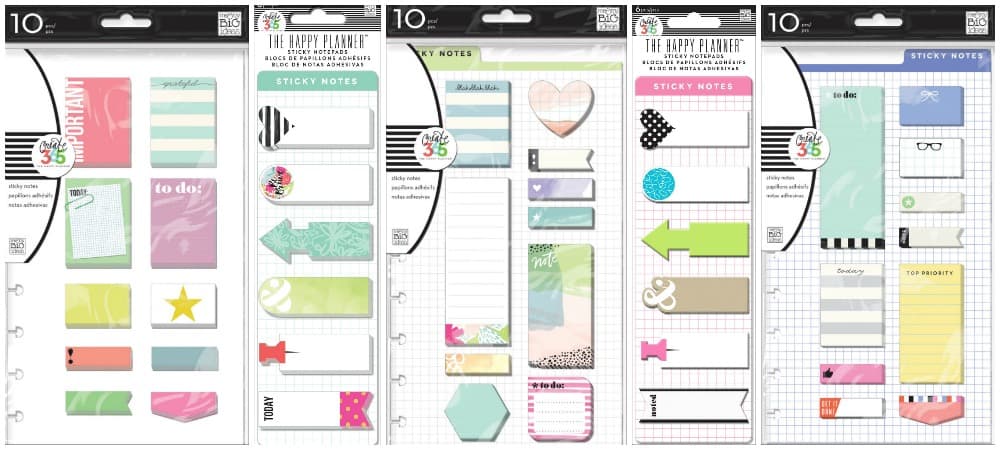
Here’s what I like about the sticky notes – they are removable. And temporary. You can transfer them from day to day if need be, rip them off, throw them away.
You can also easily place them on your dashboards (I’ll address those next) so you know what you have to do for the day – then you can rip them off and replace them for the next day.
I got the “To Do” pack. I like that the left edge is pre-punched so I can keep it in the planner. Of course you are welcome to get any sort of Post It notes or flags that you like! These were in such fun shapes . . . I was sold. But you can also cut Post Its into fun shapes. 😀
MAMBI PLANNER DASHBOARDS
About those Dashboards. When I first heard the term “dashboards” from the planning people in my class – I had no idea what they were talking about.
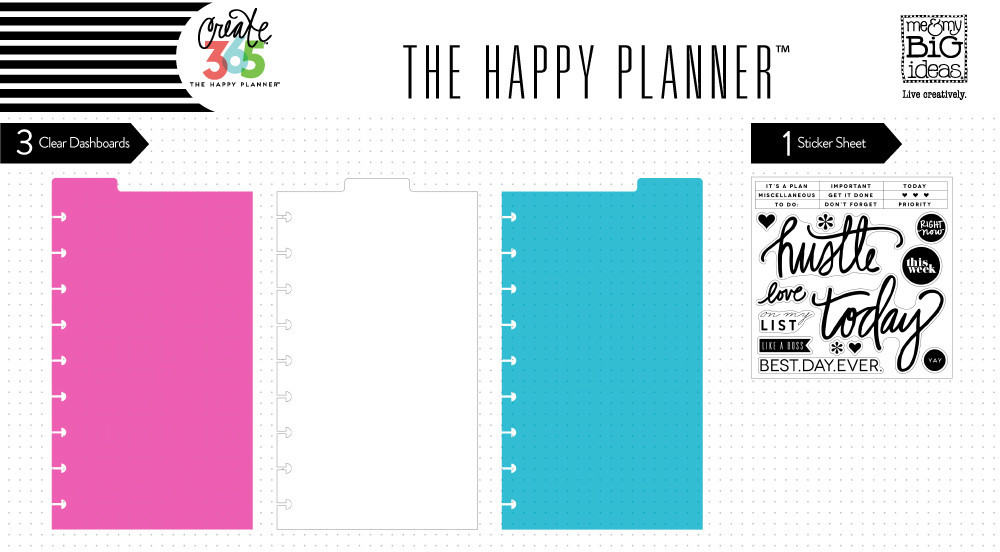
Dashboards are just clear dividers with tabs at the top. They can be constantly taken out and replaced in various areas of your planner, including the current week, an important upcoming week, or anywhere you need a bookmark. The surface is clear plastic for stickers, temporary notes, etc. that can easily be removed. I bought one pack.
MAMBI PLANNER FOLDERS
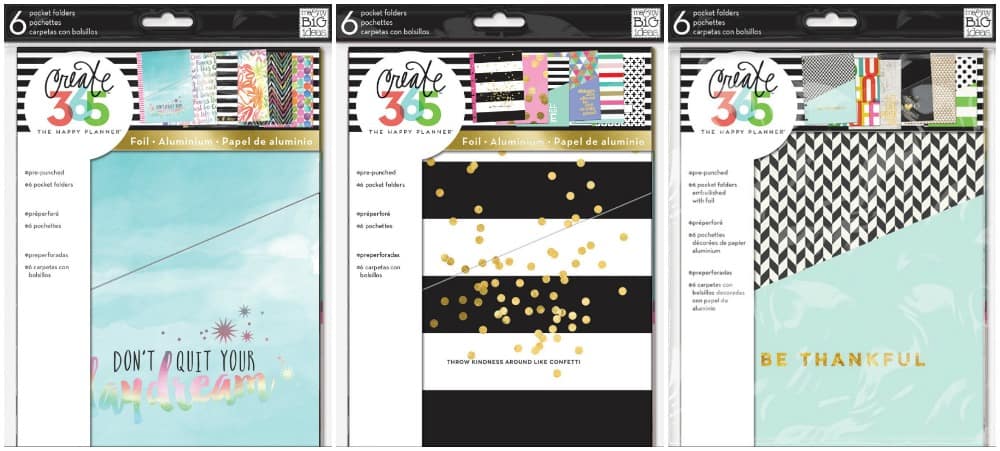
The planner has folders . . . which for me, were a MUST have! These folders clip into the rings like the sticky notes, and they hold receipts, bills, invitations stamps, photos, etc. I absolutely have to have these for work. So I bought one pack (the design you see in the middle above).
There’s one last thing I want to share with you that I learned about in my Michaels class.
HAPPY PLANNER EXTENSION PACKS
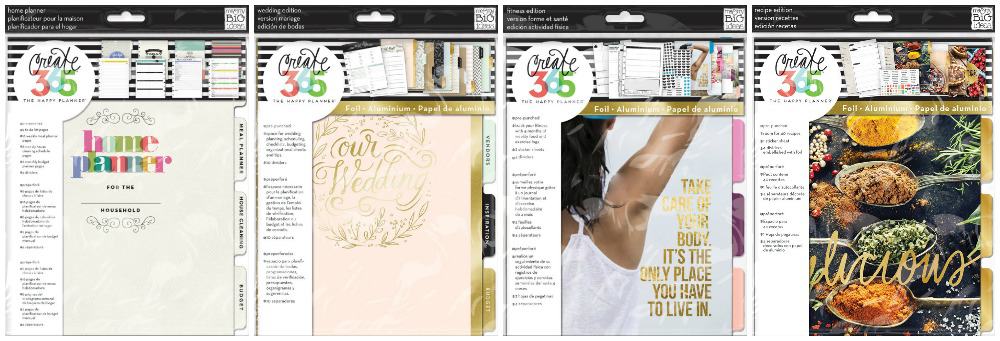
Extension packs are used if you have a specific need. There are four extension packs I think are pretty cool (there are also too but these are my favorite):
- Fitness – 4 months of weekly food and exercise logs – 24 pages and 4 dividers. 2 sheets of stickers to help you customize
- Home Planner – includes to-Do Lists for the home, Meal Planners, House Cleaning Schedules, Budgets (45 pages)
- Recipe Organizer – 20 total pages with 4 dividers; a sticker sheet that helps you organize
- Wedding Planner – includes 42 pages and 10 dividers: Vendors, Inspiration, Budget, Checklists, Wedding Party, Guests, Wedding Events, Wedding Day, and Honeymoon
Now I know what you are going to say to me. Let me just guess:
“Amy – you’re nuts. I can’t afford all of this! If I want to become a planner person, I’m not buying all of this stuff.”
You know what? I totally agree with you! This post was meant to convey what I learned about the Happy Planner and share the possibilities. Here’s what I think you should do if you’re interested.
Tips for Getting Started with Happy Planner
- Get a Happy Planner. There are frequent sales online or at Michaels (download the app and/or get your coupon); ask for it for your birthday/Christmas/other holiday; get it in your hands.
- Watch videos. Me & My Big Ideas makes the planner, and you can see their videos here.
- Start decorating with pens, pencils, stickers, or anything else that you have in your stash. Do you have a Cricut or a Xyron sticker maker? Use what you got! Then you’ll know what you want to buy as you go along.
- Get inspired by browsing planner layouts. Check out Pinterest – Google “Happy Planner” online . . . let other people’s creativity inspire you. Do what they are doing until you find your own way. Also search on Facebook for groups. You will NOT believe how many there are! You can see thousands of layouts.
- Download some free printables to use with your planner. Me & My Big Ideas has a tag on their blog for download some freebies here.
- Take a class or go to a meet up. Enroll for a Michaels planner class (mine was free) the next time you see one on the schedule, or see if there’s a meet up near you on Facebook or Meetup.com. You’ll be surprised at how many there are nationwide!
Most importantly: don’t intend to be one of those “planner people” on your first day. I was truly inspired by some of the gorgeous layouts in my Michaels class and thought “wow – how I am ever going to do that?” But you know what . . . I’ve thought about that before EVERY single one of my creative pursuits! I find my path eventually.
Want to see more of the Happy Planner and what you can do with it? Just watch the video below!!


Thank you so much for this. I am using another planner, but decided to switch to The Happy Planner because Michael’s has them on sale for 60% off. I was overwhelmed by all the “stuff” that goes with it, and left with only the planner. This will help me narrow down my choices to what really suits my lifestyle.
I bought an 8.5×11 HP for 2017 and I just LOVE it. The best thing to do is buy the page punch that goes with it.Then anything you want goes in.After January is passed I plan to collage the back of the divider so I can use it every year. A basic daily list gets pulled out and comes with me and anything not done goes onto the next day. These I printed from a free online source. So far I have a weekly 1 page, a monthly Christmas planner page and a project page I’ve added to each month. Because these are generic I can transfer them to next year. I’m still working on planning my planner. The ARC components fit perfectly and there are rings available with them as well. Cardstock is great for divisions with purchased or homemade tabs . am just having so much fun putting this together!. GREAT POST thank you.
LOVE the cardstock idea for dividers! That’s great, thank you!
I’m sorry I’m having a tough time finding the 2017 calendar inserts!! Everyone is telling me I have to buy a new planner, all together. Does it say 2017 Calendar on the package? I really don’t want to throw this away as I’ve totally enjoyed it, but I’m not spending $35 every year. Thank you!
Hi Cindy! So far all I’ve found is the six-month extension packs: http://amzn.to/2jSsUk8. I think that would be the best way to get your added months without spending a fortune! Etsy has some 2017 options too, but for some you will need the punch: http://amzn.to/2jSoh9J. Not all of them though!
I had noticed that for 2017 November and December are missing pages!!! Please check everyone – I am missing a page of Nov and Dec for the monthly spread.
I am reaching out to them to see why? I would love to hear if anyone else has this ?
Oh no! I’d return it! 🙁
Thank you for all the tips!? I just got my HP and hopefully this weekend I can get it started.
What do you do for months that don’t give you all of the days in the weekly portion. Such as January. The weekly section ends on Sunday, January 29, no days for the 30th and 31st.
Hi there! I just checked my weekly section. I do have the days, but sometimes they go into the next month’s tab. Did you check there? Flip to February and see if you see them!
Is the planner reusable with new inserts every year or do you have to buy a new one every year
Hi Heather! You can buy new calendar inserts 😀
@Amy, where? I have looked.
So I’m having a hard time because January 1st is a Sunday so it shorts me 6 days that I need! 🙁 of course I waited till dec 30th to realize it 🙁
Idk what to do any suggestions
Angel I would search for a free printable online – or Etsy – I don’t know if something is available but I bet you can find it!
I love my Happy Planner!! I’m a little confused about the 18 month. It starts in July and ends in December of the next year. So when you finish that boos you are ready for January and it starts in July. So, the second planner you loose 6 months. Can someone give me an explanation on this.
That’s a great question Patti! I’m not sure why it’s that way. I will say that you can get a six month expansion pack to solve that problem: http://amzn.to/2ifuTB9. I know it’s buying something else, but it seems to be the only way to bridge the gap!
Great article ! Unfortunately I’m living in Sweden and the planner culture is not so widespread yet. I get my planner stuff online, but my hobby comes with a price. Most of the shops that shipping to Sweden almost price the same amout of money for the product as for shipping. Ridiculous! The planners you find here is not build to be personalized, like The Happy Planner, Erin Condren or the Carpe diem planners. I’m jealous of you guys ? In january my first Happy Planner arrives and I hope it will be perfect for my planning ideas. I tried the Erin Condren vertical this year but I just can’t manage to create such nice spreads you can find here at pintsrest or in Youtube videos. I hope you did find a good way to plan your life in 2016 with your Happy Planner ?☺